Home
R36S Handheld Game Console – 128GB Open Source Retro Video Game Player
R36S Handheld Game Console – 128GB Open Source Retro Video Game Player
Couldn't load pickup availability
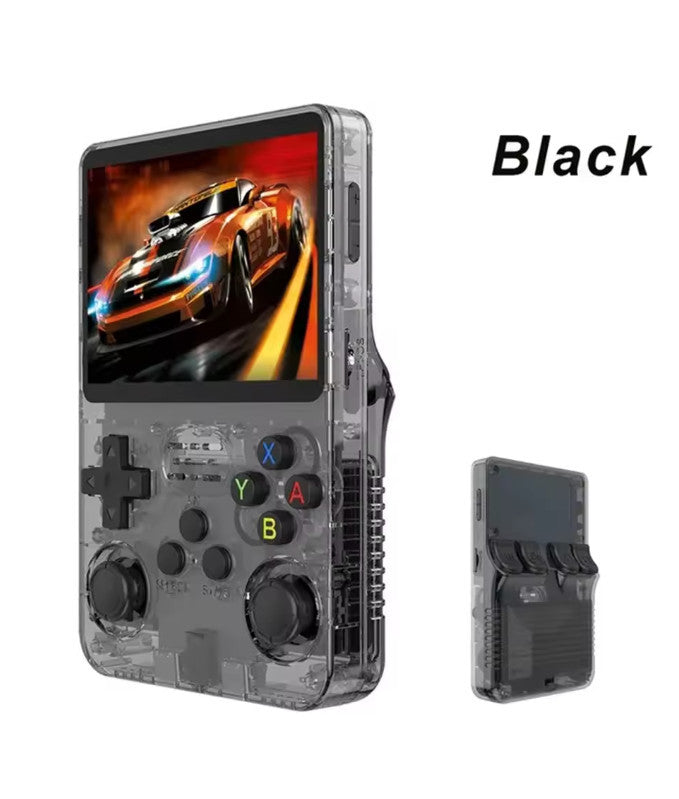
Dive back into your favorite retro gaming memories with the R36S Handheld Game Console. Powered by a flexible, open-source Linux operating system, this portable gaming device supports extensive game customization and multi-platform emulation for classic systems like GBA, FC, and arcade favorites. Packed with a massive 128GB storage capacity for an expansive game library, it delivers smooth performance, crisp visuals, and supports up to 1080p high-definition output via its OTG interface. Lightweight, ergonomically designed, and available in a wide array of vibrant colors, it is the ultimate portable console for gamers on the go.
Key Features
Open-Source Linux System: Runs on a customizable Linux platform supporting a vast library of classic retro emulators.
Massive 128GB Storage Capacity: Comes loaded with ample storage to hold thousands of games for endless entertainment.
Multi-Platform Emulation: Seamlessly plays titles from handhelds, home consoles, and arcade systems like GBA and FC.
High-Definition 1080p Output: Supports crisp visual output via OTG interface for an enhanced gaming experience.
Complete Retro Kit: Includes screen protection film, data charging cable, and user manual right out of the box.
Product Specifications
Product Type: Handheld Retro Video Game Console
Model: R36S
Operating System: Open-Source Linux-based system
Storage Capacity: 128GB English version (with 64GB/128GB/Cardless options available)
Interfaces: USB, OTG (video/audio support)
Max Output Resolution: Up to 1080p
Color Options: White, Transparent Black, Transparent Purple, Transparent Red, Transparent Blue, Transparent Light Blue, Transparent Green, Transparent Orange, Red, Yellow
Packaging: Retail color box
What’s Included
1x R36S Handheld Game Console host (128GB)
1x Data charging cable
1x Screen protective film
1x User manual
1x Retail color presentation box
How to Use for Best Results
Charge Before Playing: Connect the console using the included data cable to fully charge the internal battery.
Power On & Select Game: Turn on the device, browse your vast 128GB game library through the open-source user interface, and select your favorite retro title.
Customize & Enjoy: Adjust system settings, apply the protective film to guard your screen, and enjoy hours of classic gaming anywhere!
Share